Instant clarity
Every task lands in Do First, Schedule, Delegate, or Later, with a short reason you can review or change — so you always know what matters most right now.
Private task prioritization for Android
Prio sorts everything on your plate into Do First, Schedule, Delegate, and Later — with a reason you can review — and connects daily work to the goals that matter. Core planning runs on your device, with no account required.
Why Prio
Prio is built for people juggling too many tasks across too many apps. Instead of another list to manage, it gives you an explainable priority, a calm plan for today, and goals that keep moving.
Every task lands in Do First, Schedule, Delegate, or Later, with a short reason you can review or change — so you always know what matters most right now.
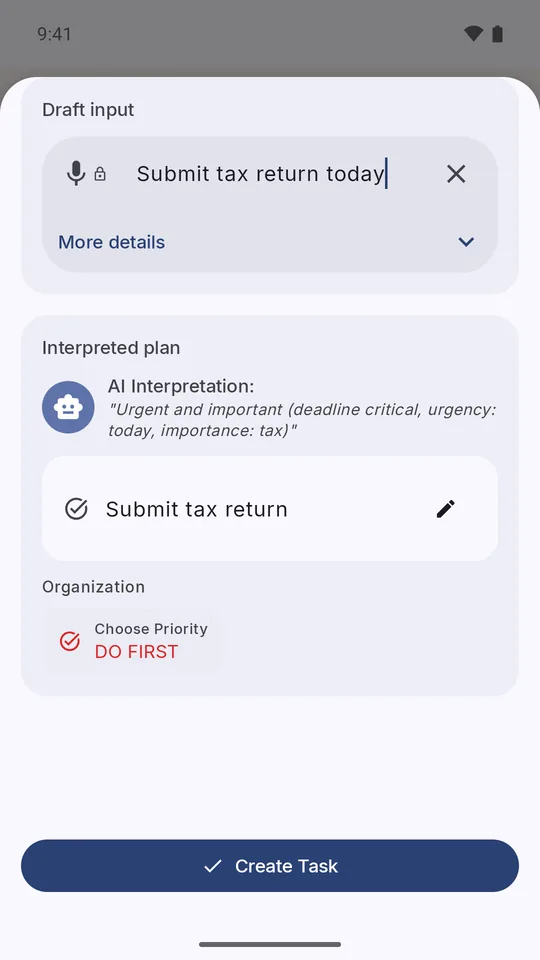
Type or say a task in your own words, like “Submit tax return today,” and Prio sets the priority and timing. Voice uses on-device speech recognition.
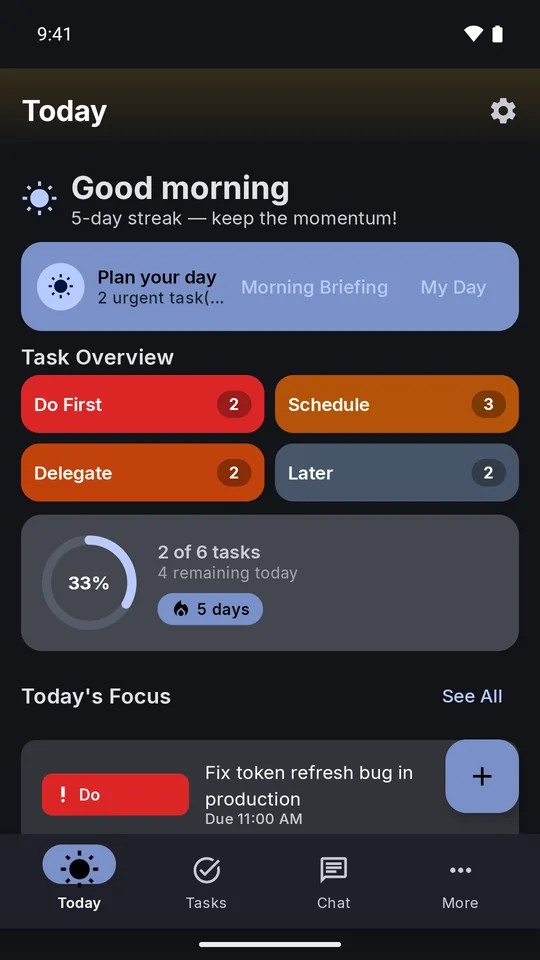
See your focus, progress, and streak at a glance, then use My Day to plan the hours you actually have.
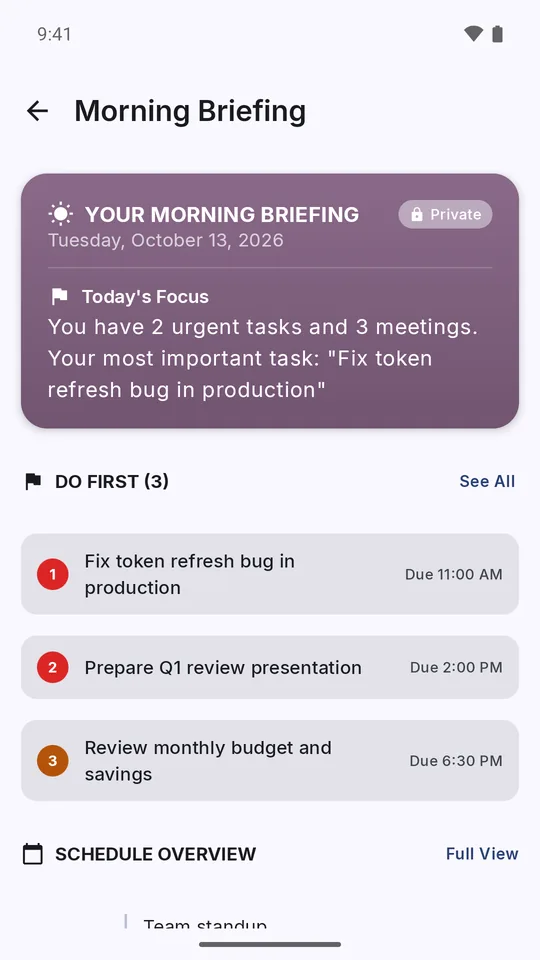
Morning briefings and evening summaries bring the important things forward without digging through lists.
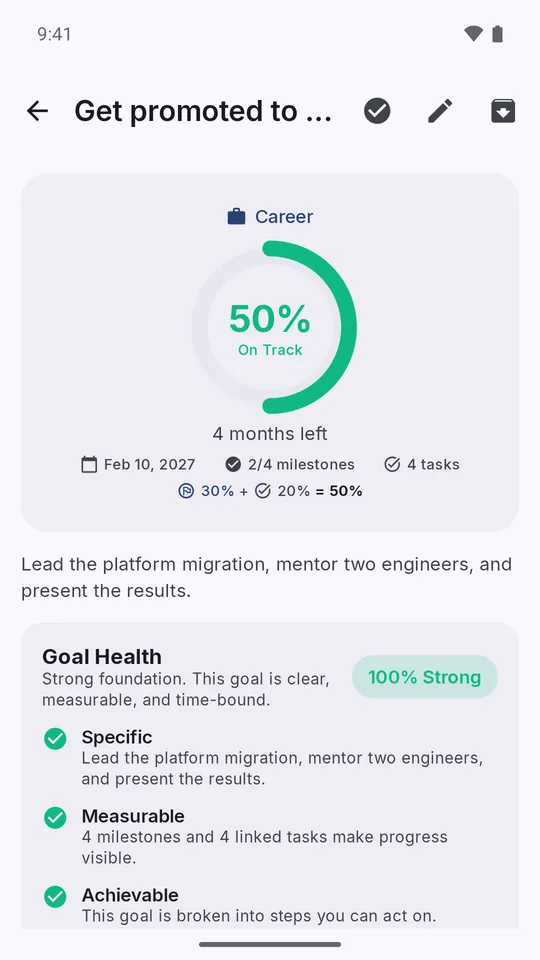
Milestones, linked tasks, progress tracking, and a Goal Health check keep every goal specific and achievable.
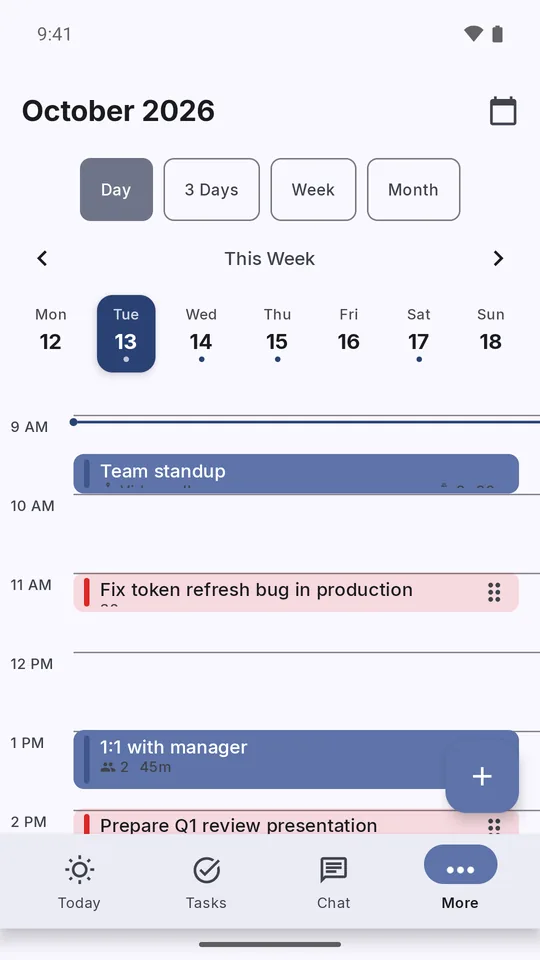
See events and tasks side by side in Day, 3-day, Week, and Month views, so you can plan around the time you really have.
How it works
Type or say one thing that's actually on your plate. No setup or account needed — optional voice capture only asks for microphone access.
Prio explains why it chose Do First, Schedule, Delegate, or Later and fills in the timing it understood. Accept it or change it — you stay in control.
Your confirmed task appears in Today's Focus, ready to work on, alongside your progress and streak.
See it in action
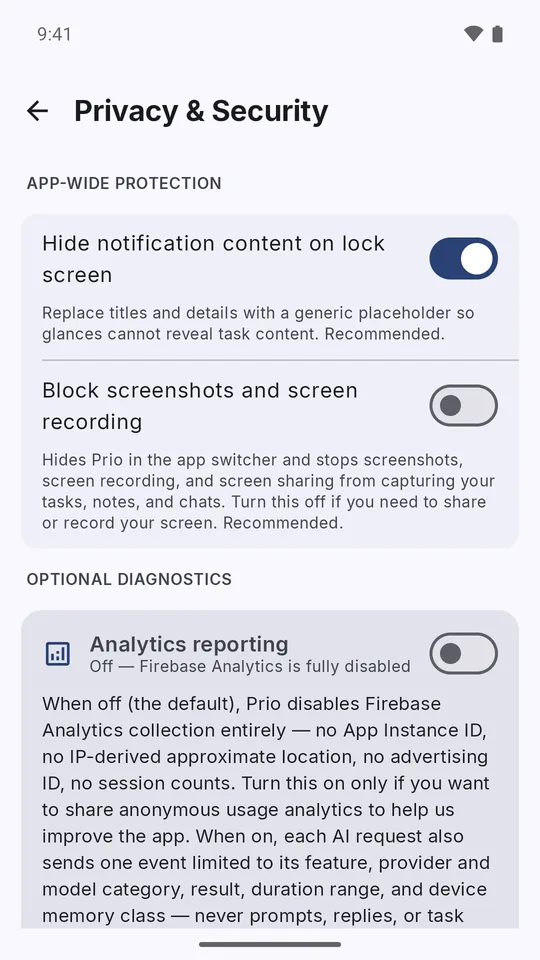
From Today and Quick Capture to briefings, goals, calendar, and privacy controls — captured on Android and shown in English.
Privacy
Capture, planning, goals, reminders, local insights, and rule-first prioritization run on your Android device. Core planning works without a Prio account or an internet connection.
When supported and selected, Gemini Nano or a downloaded llama.cpp model runs AI on your device. Remote AI providers, encrypted Google Drive backup, manual export or sharing, and Firebase Analytics or Crashlytics are separate, explicit opt-ins you control individually. Prio has no AI proxy: if you connect a remote provider, your key and prompt go directly to that provider.
Privacy PolicyRule-first classification and your core planning data stay on your device unless you choose to enable a network feature.
Remote AI, cloud backup, export, and analytics are each off until you turn them on — turning one on never enables another.
One switch hides task details on the lock screen; another hides Prio in the app switcher and blocks screenshots, screen recording, and screen sharing.
Prio doesn't serve ads, sell your personal data, or use it for cross-app advertising tracking.
What's new
Recent releases add creative tools and stronger privacy controls while keeping core planning on your device.
Everything you need
Pricing
Prio currently offers no subscription, paid upgrade, or one-time unlock. Every feature you see is included, with no ads and no data sold.
FAQ
Yes. All current features are free to use, with no subscription, paid upgrade, or one-time unlock offered.
Yes. Core capture, planning, goals, reminders, and rule-first prioritization work without an internet connection or a Prio account. Remote AI and cloud backup connect only if you turn them on.
Not unless you choose to. Core planning stays on your device. Remote AI, cloud backup, and export are separate features you opt into individually, and Prio has no AI proxy.
Yes. On supported devices, Prio can run AI with Gemini Nano or a llama.cpp model you download, on your device. Remote providers are optional, experimental, and use your own API key.
Prio doesn't just store tasks — it prioritizes them. Every capture gets an explainable Eisenhower Matrix suggestion, so you always know what to do next instead of just what's on your list.

Install Prio on Android and turn your task list into one clear priority at a time.